

Xprinter 80mm Auto-cutter Thermal Receipt/Bill Printer 200mm/s POS with USB/Ethernet/Bluetooth/WiFi for Kitchen/Restaurant


Xprinter 80mm Auto-cutter Thermal Receipt/Bill Printer 200mm/s POS with USB/Ethernet/Bluetooth/WiFi for Kitchen/Restaurant
SPECIFICATIONS
After-sale Service: Shop's Three Guarantees
Application: Personal Work Management
Battery Included: no
Black Print Speed: 200mm/s
Brand Name: Xprinter
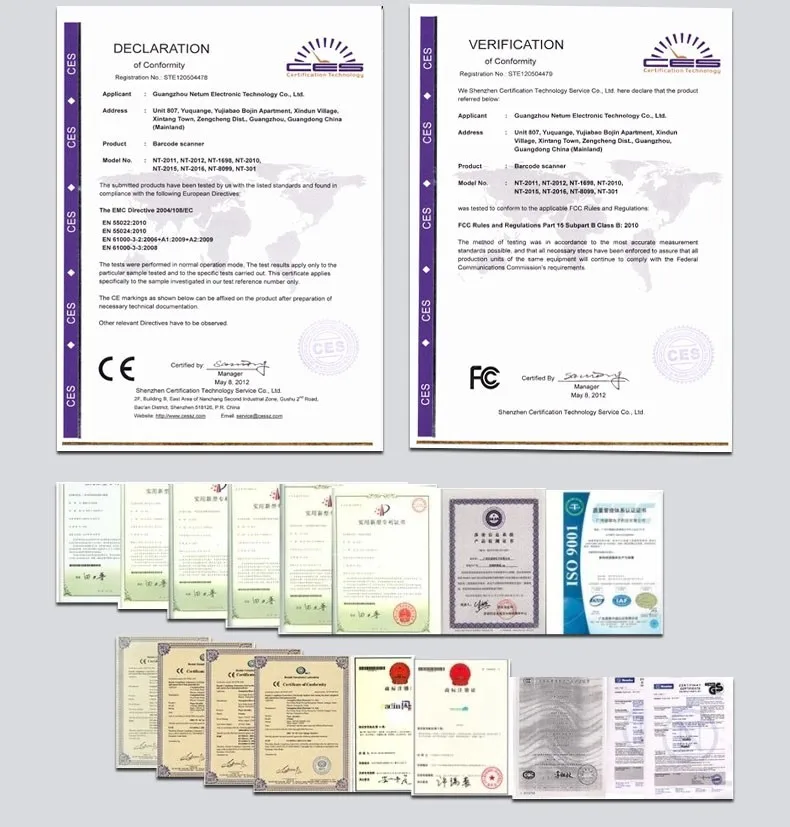
Certification: CE,FCC,RoHS
Consumable Type: Thermal Paper
Dot Matrix Printer Type: Ticket printers
Double-sided Printing: No
High-concerned chemical: none
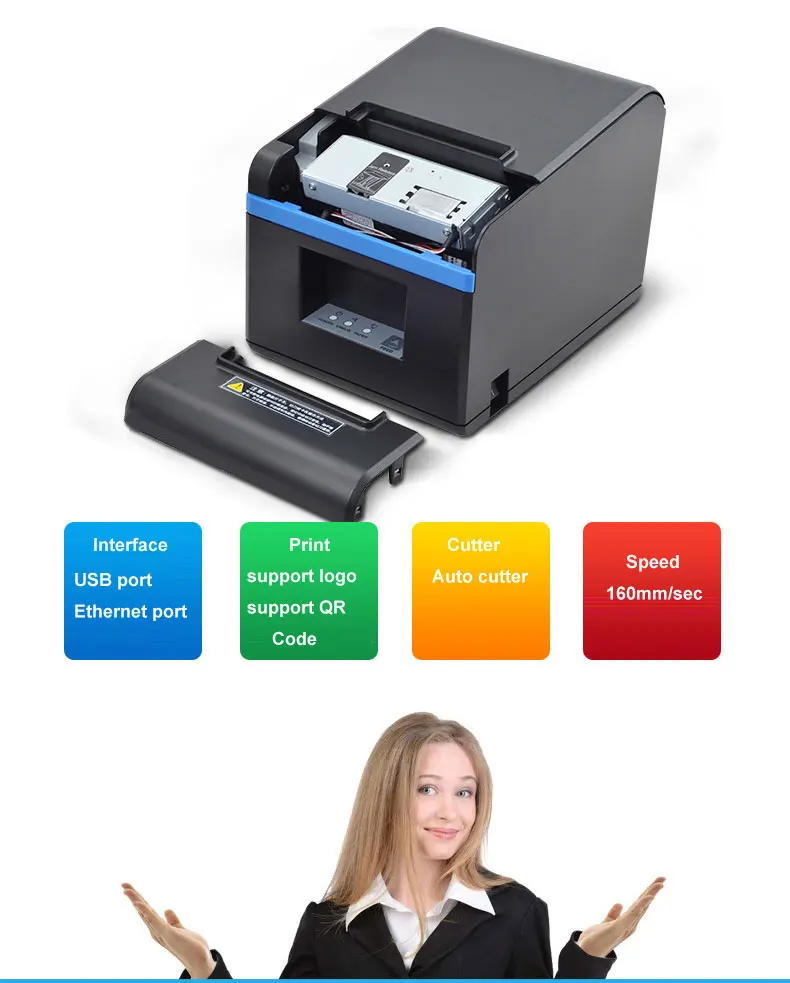
Interface Type: USB / Ethernet
Internal Memory: None
Max Paper Size: 80mm
Origin: Mainland China
Paper Feed Mode: Roll Feed
Print Speed: 35ppm
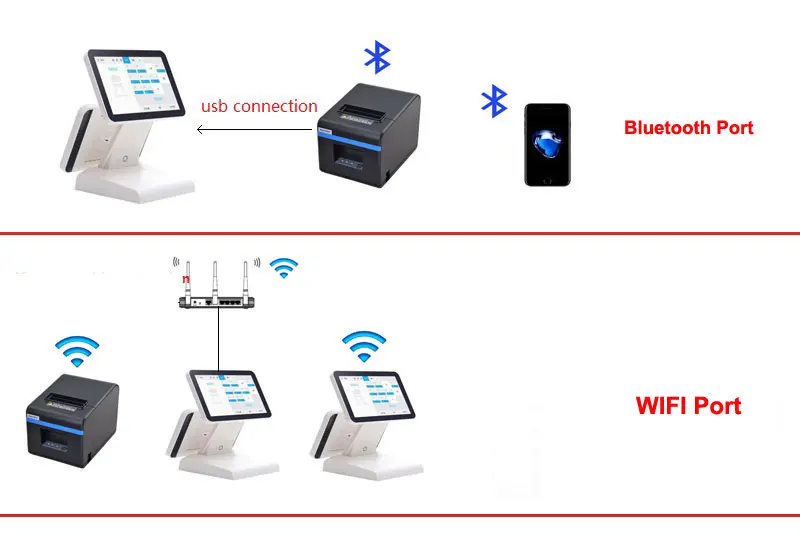
Signal Connection Type: none,Bluetooth,Wi-fi
Size: 190mm x140 x 131mm
Supports Network Printing: Wired
Type: Thermal Printer
Use: Receipt Printer
Voltage: 100-240V
Weight: 1.5kg
Xprinter Model: XP-N160II
New arrived 80mm auto cutter receipt printer POS printer USB port or Ethernet port or Bluetooth interface for Milk tea shop
Xprinter XP-N160II is an 80mm(3inches) USB/Lan/Bluetooth/WIFI Printer that is suitable for all types of receipt ,bill and Ticket printing needs, It is a high speed printer with Auto cutter. It features a large carriage space to hold big dia Thermal paper roll hence also saving on Thermal roll cost .The printer works with all the major operating systems like Windows, Linux. The Lan/Bluetooth/WIFI Printer is also compatible with Mobile devices running Android,IOS and windows.
Specifications:
Print method: direct thermal line
Character size: 576 dots/line
Print speed: 200mm/SEC
Interface: USB+Bluetooth/USB/Ethernet/Parallel port/WIFI+USB
Thermal paper:79.5plusmn0.5mmtimesphi80mm
Print width :72mm
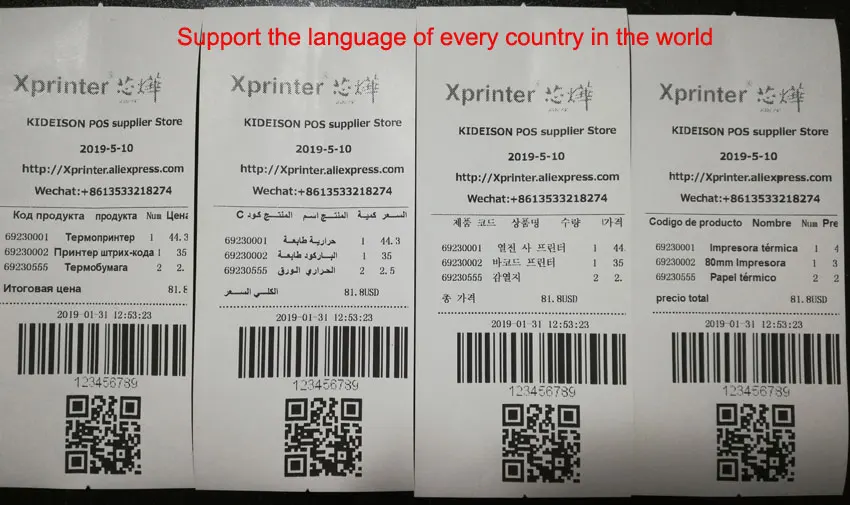
Language: multi-language support
Extended character table: PC347(Standard Europe)、Katakana、
PC850(Multilingual)、PC860(Portuguese)、
PC863(Canadian-French)、PC865(Nordic)、
West Europe、Greek、Hebrew、East Europe、Iran、
WPC1252、PC866(Cyrillic#2)、PC852(Latin2)、
PC858、IranII、Latvian、Arabic、PT151(1251)
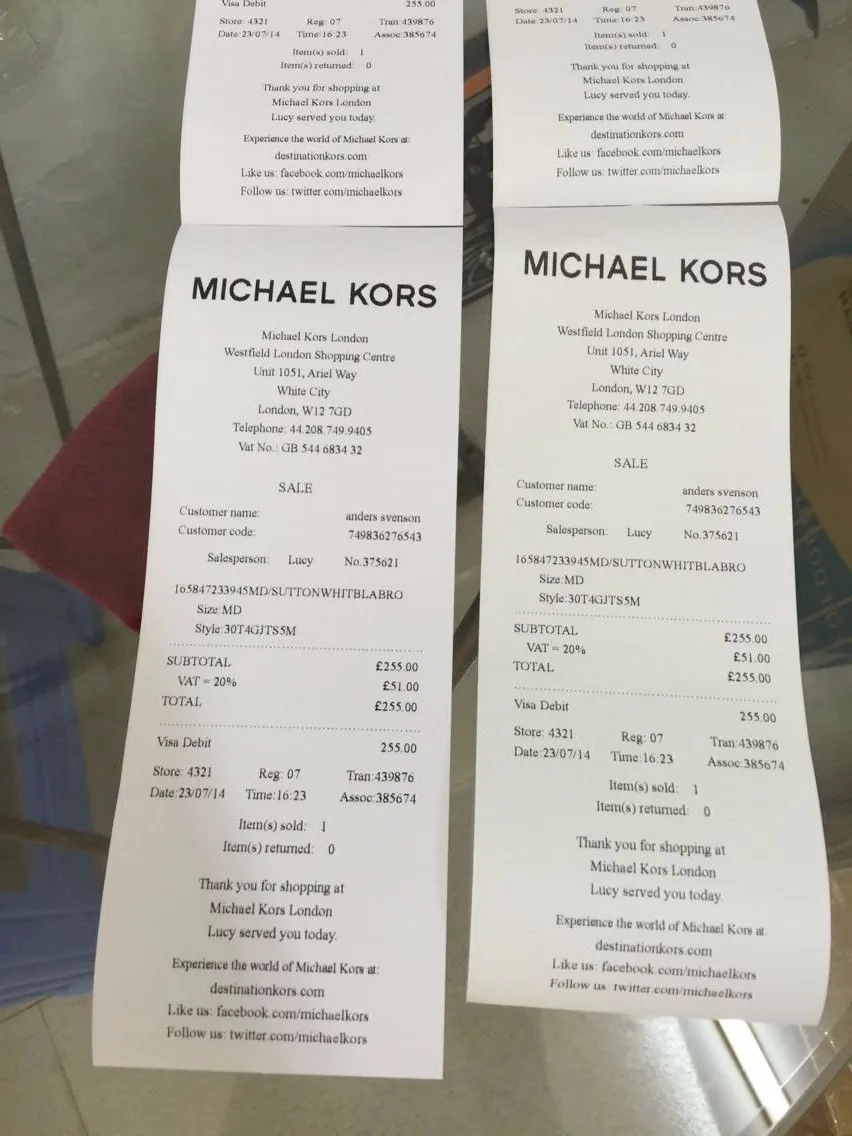
Printing command: compatible with ESC / POS commands
Power: DC 24V/2.5A
Cash drawer:DC 24V/1A
Weight:1.03kg
Size:190times140times131mm (L*W*H)
Printing head reliability: 50 km
Work temperature: 0-45 C
Relative humidity: 10-80%
Driver compatible with: Win 2000, Win 2003, Win XP, Win Vista, Win 7, Win 8.win10 and linux
Features:
1. Great solution for all kinds of areas of commercial retail POS systems.
2. Compact and lightweight, stylish design.
3. High print quality and low operation cost.
4. Low noise, high speed printing.
5. Cash drawer support.
6. Easy paper loading structure, easy maintenance.
7. Low power consumption, low operating costs (no ribbons, ink cartridges).
8. Built-in data buffer (ready to receive print data during printing).
9. Adjustable character size and line spacing.
10. Bitmap and download graphics printing support.
11. Compatible ESC/POS print commands
Guida alla pulizia della stampante
La testina di stampa deve essere pulita quando si verifica uno dei seguenti casi:
1) la stampa non è nitida;
2) alcune colonne sulla pagina stampata non sono nitide;
3) l'alimentazione emette rumore.
La procedura di pulizia della testina di stampa è la seguente:
1) spegnere la stampante, aprire il coperchio, rimuovere la carta se presente;
2) lasciare raffreddare completamente la testina di stampa se la pulizia avviene subito dopo la stampa;
3) pulire la superficie della testina termica con un panno morbido imbevuto di etanolo per rimuovere polvere e/o macchie;
4) attendere che l'etanolo evapori completamente, richiudere il coperchio ed eseguire una stampa di prova.
La confezione include:
Mini stampante per ricevute da 80mm x 1
Cavo dati USB x 1
Cavo di alimentazione x 1
Adattatore di alimentazione x 1
Rotolo di carta x 1
Manuale utente x 1
Nota: nella nuova versione non è incluso il CD dei driver, è necessario scaricarli dal sito ufficiale o inviarci un'email e ve li invieremo tramite posta elettronica
FAQ:
Versione Bluetooth: è necessario installare un'app POS sul cellulare, nell'app utilizzare il Bluetooth per connettere stampante e cellulare, quindi stampare dall'app POS. Non è possibile stampare la ricevuta con il logo.
https://www.xprinter.net/companyfile/41.html
Passaggio 1 Stampare la pagina di "autotest" per verificare se è in modalità AP o STA; se è in modalità STA, deve prima essere convertita in modalità AP
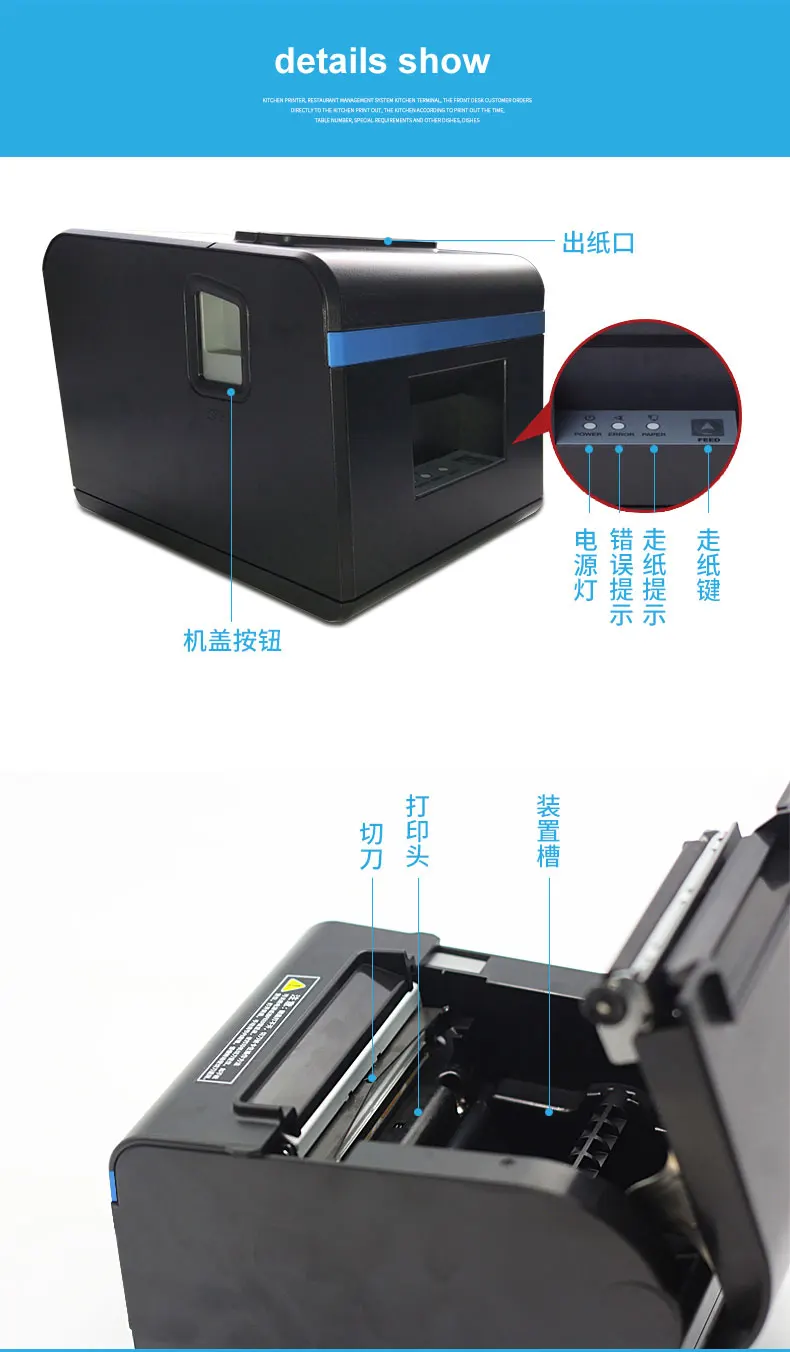
(modalità STA -> modalità AP: tenere premuto il tasto Feed, quindi accendere la stampante; dopo che la stampante ha stampato la pagina di autotest e le opzioni di selezione Wi-Fi, premere il tasto "Feed" una volta, la stampante stamperà la selezione della modalità AP/STA, quindi premere il tasto "Feed" una volta: la stampante è ora in modalità AP.)

Passaggio 2 In modalità AP, la stampante funge da hotspot con SSID: Printer, Key: open e AP IP: 10.10.100.254


Passaggio 3, Stampare la pagina di "autotest" e verificare l'IP della stampante, quindi installare il driver della stampante, scegliere la porta Ethernet e inserire l'IP della stampante appena impostato







Specifications
FAQ
Q1: Can this printer be used with Windows 8, Windows 10, or Mac systems?
Answer:Yes, during installation you will be prompted to select Win7, Win8, Win10, or Mac.
Q1: Is the printer driver available in English, Russian, or Spanish?
Answer:Yes, supported.
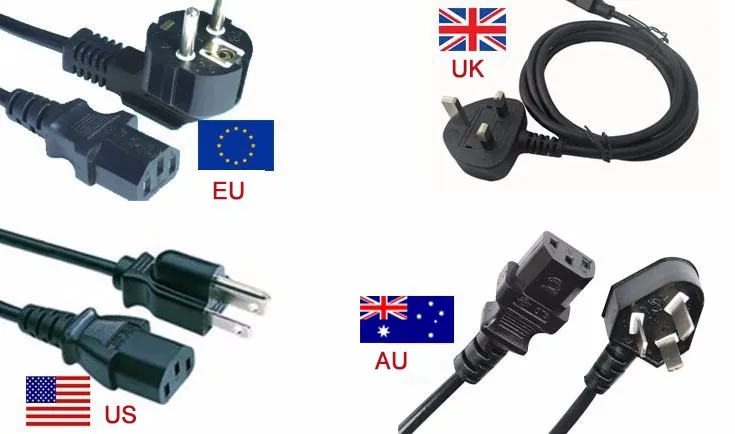
Q3: Can you provide European, American, or British standard plugs?
Answer:YES, when ordering you can select AU, EU, US, or UK plugs.